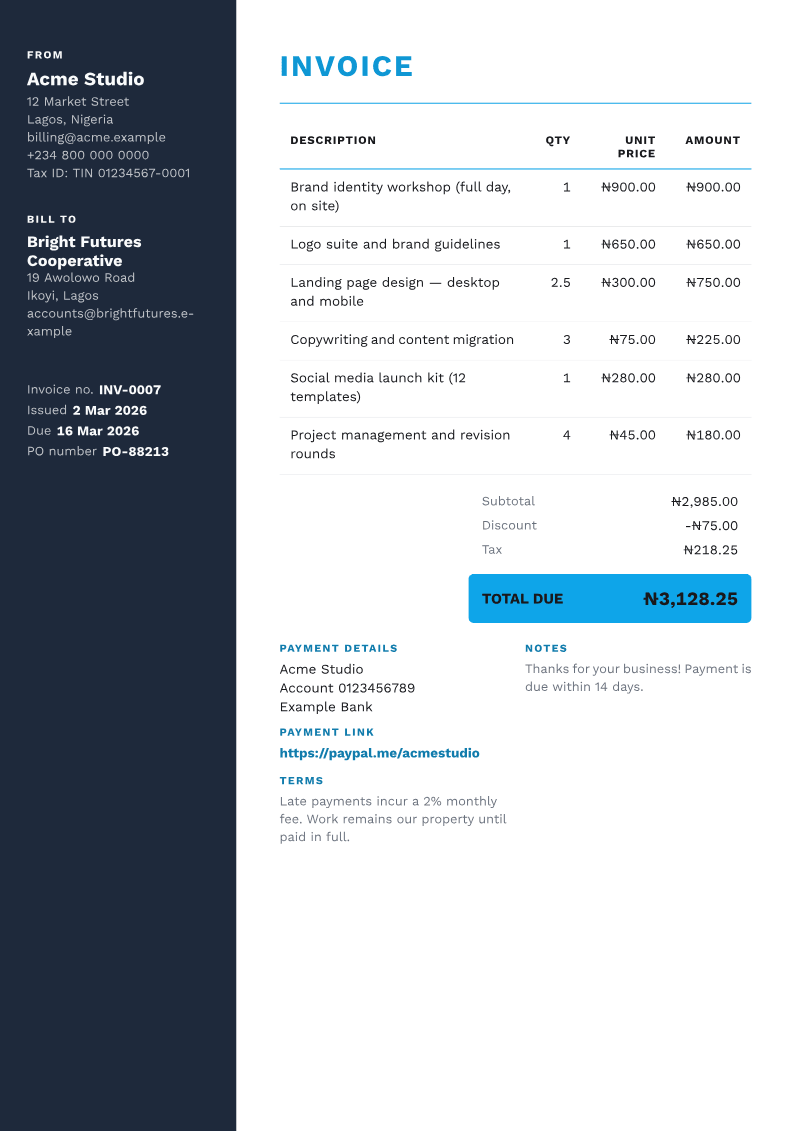
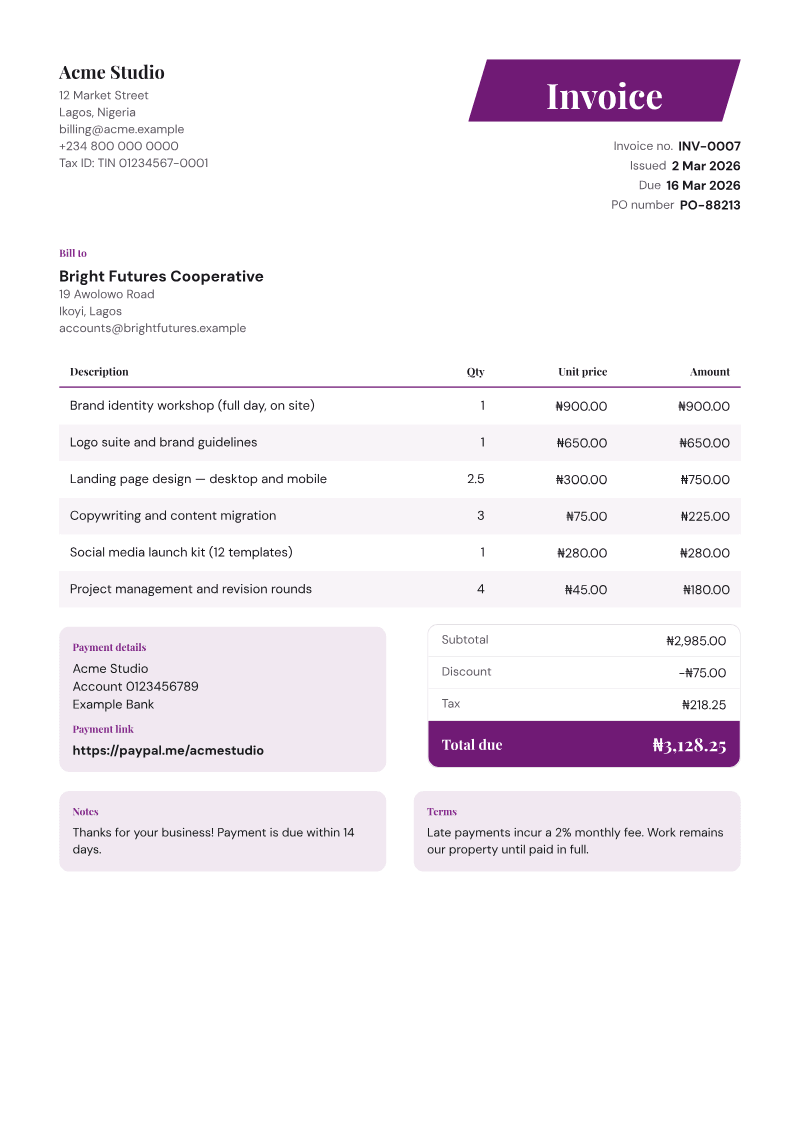
INVOICE
- Invoice no.
- INV-0007
- Issued
- 2 Mar 2026
- Due
- 16 Mar 2026
- PO number
- PO-88213
BILL TO
Bright Futures Cooperative
19 Awolowo Road
Ikoyi, Lagos
| DESCRIPTION | QTY | UNIT PRICE | AMOUNT |
|---|---|---|---|
| Brand identity workshop (full day, on site) | 1 | $900.00 | $900.00 |
| Logo suite and brand guidelines | 1 | $650.00 | $650.00 |
| Landing page design — desktop and mobile | 2.5 | $300.00 | $750.00 |
| Copywriting and content migration | 3 | $75.00 | $225.00 |
| Social media launch kit (12 templates) | 1 | $280.00 | $280.00 |
| Project management and revision rounds | 4 | $45.00 | $180.00 |
- Subtotal
- $2,985.00
- Discount
- -$75.00
- Tax
- $218.25
- TOTAL DUE
- $3,128.25
PAYMENT DETAILS
Your Business Account 00000000 Your bank
NOTES
Thanks for your business! Payment is due within 14 days.
TERMS
Late payments incur a 2% monthly fee. Work remains our property until paid in full.